

Student Laptop & Software
- Buying Your Laptop
- Lab Computer Software
- Downloadable Software
- Autodesk Software
- Google Earth
- ArcGIS/Info
- Data, Map & Government Information Services
- Vectorworks
- Software From UofT - Microsoft 365, Teams, Zoom
- Software From Daniels - Rhino,V-Ray, RhinoCAM, Adobe Creative Cloud
We strongly recommend all students to purchase their own laptop for coursework, as the numbers of studio and lab computers are limited.
Please note that while the Daniels IT Help Desk will offer general support for your laptop, advanced diagnostics and hardware repair can only be offered by your computer manufacturer. Any hardware or software issues, unless it is software downloaded from the Daniels website, should be resolved with your computer manufacturer.
Buying Your Laptop
We recommend buying the best computer you can afford to provide sufficient performance for the full length of your study. Laptops are preferable over desktop computers as they provide flexibility for work at home, classroom and travel. Our recommendations below will be suitable for use with advanced 3D modeling and media creation software required for most Daniels students but individual programs may vary - before making a purchase, always confirm the computer you're buying is compatible with all software you plan to use.
Below are key points to consider when buying a computer for your study at Daniels:
- Graphics Performance: For 3D modeling and media creation programs such as AutoCAD, Rhino 3D and Adobe Creative Cloud apps, graphics performance is important and cannot be upgraded after purchase. We recommend computers with a discrete graphics card (NVidia GeForce or AMD Radeon) with minimum of 8GB video memory (VRAM) or higher.
- Memory: Many 3D and media creation apps require generous amount of memory (RAM) to work with high-complexity models or multi-stream video and audio. We recommend a minimum of 16GB memory, with 32GB or higher preferred.
- Storage: We recommend computers with solid state drive (SSD) for fast performance with a minimum of 512GB storage space or higher.
- Warranty: Most computers include a standard 1-year warranty. For long-term support and peace of mind, we recommend considering extended warranty to 3 years and accidental damage coverage to protect against impacts, drops and liquid spills.
For majority of Daniels students, we recommend purchasing Windows PCs rather than MacBooks for maximum software compatibility, as some software and plugins are not compatible with Macs. Windows PC also tends to be more affordable than Macs for equivalent performance and have a wider range of models. Individual programs of study may vary - before making a purchase, always confirm the computer you're buying is compatible with all software you plan to use.
Example recommended computer models (Fall 2026):
- Lenovo ThinkPad P Series
- Lenovo Legion Series Laptops
- Dell Alienware Laptop Series
- Apple MacBook Pro Series
Lab Computer Software
The Following Software is Available on Most Lab Computers:
CADD Modeling
- Autodesk AutoCAD
- Autodesk 3DS Max
- Autodesk Revit
- Autodesk Raster Design
- Rhino 8
- v-Ray for Rhino
- RhinoCam
Graphics, Web Authoring
Adobe CC
GIS
- ESRI ArcGIS Pro
- Google Earth Pro
Standard
- Microsoft Office
- Firefox
- VLC Player
Downloadable Software
Antivirus software
It is essential that you have anti-virus software on your computer. Windows provides a free version of antivirus software called Windows Defender. You can find it under Updates & Security in your Settings Menu.
It is important to have your computer's operating system up-to-date with the latest security and updates. Most exploits, including viruses, happen on computers that have not been kept up to date with the latest security releases.
Also if you are using Microsoft Windows go to windows update site and press "express install." This link will scan your version of Windows and Internet explorer to see if you require any security updates. (Note: If you are using another browser like Firefox this link will not work properly.)
Autodesk Software

The Student Engineering & Design Community has established Autodesk as a FREE website for students in engineering, architecture, design and animation. Students are able to download free student editions of Autodesk 3D design software, discuss projects, share work, and learn from the experts.
Faculty can join the Autodesk Faculty Lounge area of the Students Engineering & Design Community. It's the perfect place to share course ideas, curriculum, and exercises; host faculty-only forums to discuss issues and best practices; and download the free versions of Autodesk software.
Free Software Downloads:
- Revit Architecture
- Revit Structure
- AutoCAD Civil 3D
- Autodesk Inventor Professional
- Autodesk AliasStudio
- AutoCAD Electrical
- AutoCAD MAP 3D
- Autodesk VIZ
- AutoCAD Raster Design
- Autodesk Impression
- 3ds Max Design
- AutoCAD for Windows
- AutoCAD for Mac
REGISTER at students.autodesk.com for your FREE Academic Edition of Autodesk Software.
Google Earth Pro
Google Earth Pro now is free and can be downloaded here.
ArcGIS Pro
Robarts Library has limited copies of a free Student Edition of ArcGIS.
Data, map & Government Information Services
Available on the 5th floor of U of T's Robarts Library.
Vectorworks
Full-time students at a recognized academic institution who are taking a design-oriented program are eligible for a free version of Vectorworks Designer with Renderworks.
Please note, only use the Canadian distributor’s (Paxar.ca) website to get and submit your license form.
Software from UofT
Microsoft 365
Get Microsoft 365 for free including Office apps (Word, Excel, PowerPoint), Outlook and OneNote, both as web apps and install on up to 5 computers and devices.
Microsoft Teams and Zoom


Use Microsoft Teams and Zoom to schedule your own online meeting and group chats. Teams is included as part of Microsoft 365.
To activate your UofT Zoom Education account, sign in with your UTORid and password at the UofT Zoom Portal (https://utoronto.zoom.us/).
Software from Daniels
Rhinoceros 3D
Rhino 8 licenses are available for distribution while quantities last. Otherwise, a 90 day FREE trial version can be downloaded and used - https://www.rhino3d.com/download
Software package available for current Daniels students include:

Rhino 8 Educational Single-User Perpetual license
Each student is entitled to one free software license. The cost of an additional user license is $118.
The same serial number will be accepted on both Windows and Mac platforms.
Locating and retrieving your Rhino License key:
To locate your Rhino license key, please sign-in to your Daniels Account and navigate to the “Software” tab.
If you are reinstalling Rhino on a new computer make sure it is uninstalled on your old computer first. If you cannot do that (example: computer lost) then you will have to contact Rhino Support to reset your license key.

**IMPORTANT!!! LICENSE SERVER NAME HAS CHANGED, PLEASE UPDATE.
Please use "license2019.ald.utoronto.ca" as the Primary License server.
Installation packages for V-Ray 2021 can be found in the Resources folder on our FTP.
V-Ray for Rhino Installation Guide
** If you are outside the Daniels Networks, please connect to the Cisco VPN first. **
*Maxwell & V-Ray for Rhino are not available for Mac.*
RhinoCAM 2023
A limited number of RhinoCAM 2023 licenses are available with a connection to our license server. To configure setup for your computer follow the steps provided here: RhinoCam instructions.

The Adobe Creative Cloud licenses will be available in early September.
*Limited Supply*
A limited supply of Adobe Creative Cloud licenses is available for students to rent out for a fee. The rental will be available from September 2026 until June 2027.
Please send an e-mail to: it.help@daniels.utoronto.ca after completing the payment, requesting license activation. It should be noted that activating a license requires 1-2 business days from the time of payment. Once your license is activated, we will close the ticket and you will receive an email from Adobe with further instructions.
Adobe Creative Cloud license rentals for Windows/Mac Platform:
 Adobe Creative Cloud Rental September 2026 - May 2027
Dell Canvas 27 Tablet
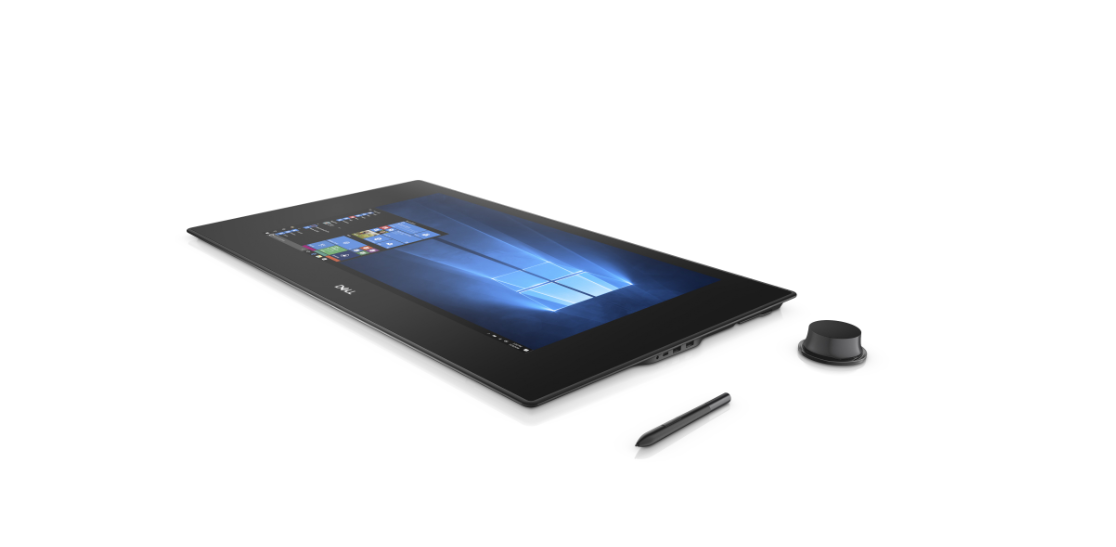
Available now in the Undergraduate & Graduate Studio.
Dell Pen and Totem kit will be provided by IT with a ticket request.
** In order to use the Dell Canvas tablet, software must be downloaded and installed from here: Dell Canvas Software **